SkyTrak+
The best home value in launch monitors, and it's not close.
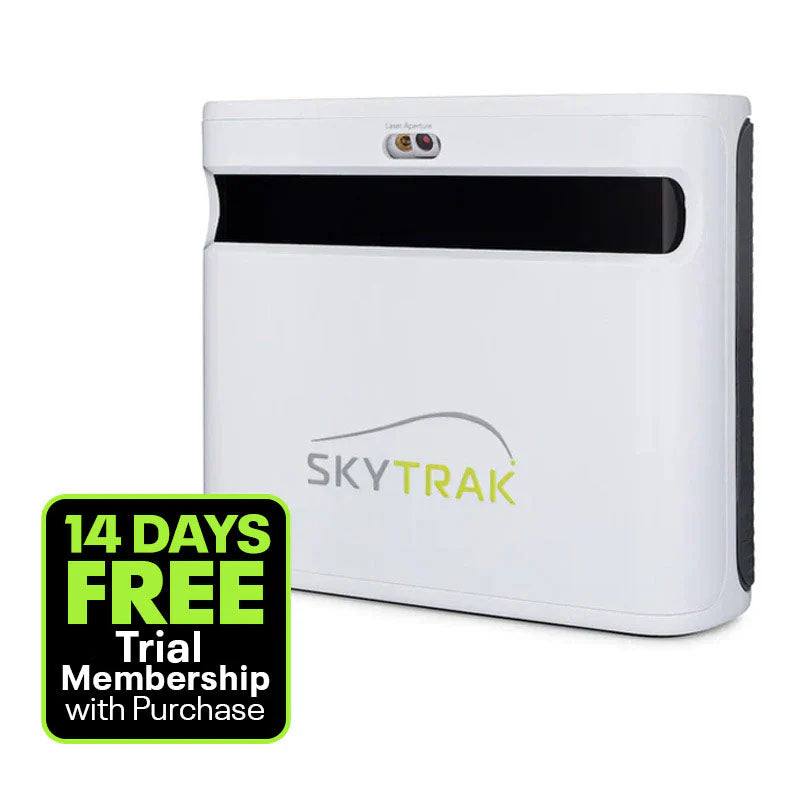
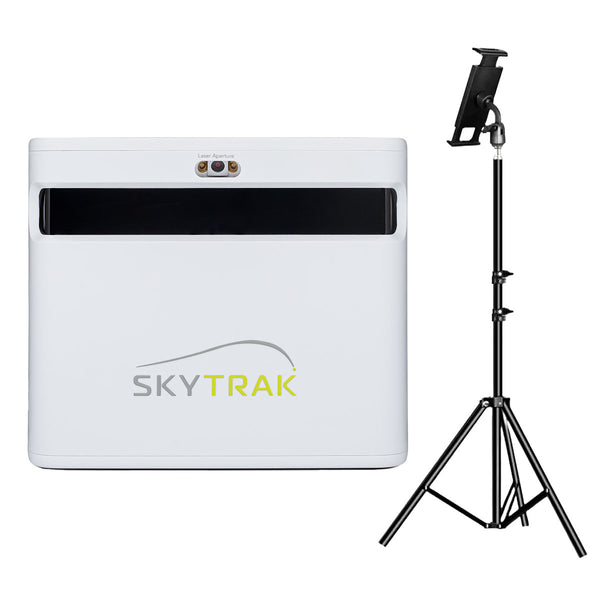
The SkyTrak+ remains the best bang-for-your-buck launch monitor for indoor home simulation. If you're building a dedicated setup and want accuracy without spending $5,000+ on a GC3, this is your pick.
SkyTrak SkyTrak+ · $1,995
What We Love
- +Excellent value for the accuracy you get
- +Wide software ecosystem — E6, TGC 2019, Awesome Golf, plus GSPro via community connector
- +Photometric (camera-based) system means it works great indoors
- +Built-in WiFi and improved club data over original SkyTrak
- +Massive community — tons of troubleshooting info and support online
What Sucks
- −Requires good lighting for best accuracy
- −5-8 second delay between shot and data (not instant like radar units)
- −Subscription required for some advanced features
- −Not as portable as radar-based options like Mevo+
Watch It in Action
⚠️ SkyTrak+ Discontinued — $1,995 Clearance: SkyTrak has discontinued the SkyTrak+ (replaced by the ST MAX at $2,995). Remaining new units are selling through at $1,995 — $1,000 off MSRP. CPO (certified pre-owned) units are also available at $1,495 from SkyTrak direct. The tracking engine is the same as the ST MAX. Same accuracy. Same software. Up to $1,500 less. Full discontinuation breakdown →
The SkyTrak+ is the only launch monitor I’d tell my buddy to buy at clearance pricing.
It’s the one that makes sense for the most people. The accuracy is close enough to the $6,000 GC3 that you’ll never notice the difference in your garage. The software ecosystem is unmatched at this price. The community has documented every bug, every workaround, every settings tweak.
In 2026, with the SkyTrak+ discontinued at $1,995 clearance (or $1,495 CPO), the ST MAX at $2,995, and the Square Omni screaming “$1,599” from the camera aisle — the SkyTrak+ is still the pick at the right price. Here’s why.
For a full comparison of every camera-based launch monitor available this year — from the $699 Square Golf HE to the $9,000 Uneekor EYE XO — check our best camera launch monitors guide.
What’s in the Box
Inside the box is a total of four things:
- SkyTrak+ launch monitor unit
- USB-C power cable
- Protective case
- Quick start guide
The unit itself is surprisingly small. It’s about the size of a hardcover book. You put it next to your ball, and it uses a camera (not a laser) to take photos of impact and send data to your device.
The battery is built in. Five hours of life on a charge. The original SkyTrak needed a separate battery pack dangling off it like a life support system. You can throw the SkyTrak+ in your bag, take it to a buddy’s house, set it up in 30 seconds. Or plug it in. Your call.
How It Works
The SkyTrak+ is a photometric launch monitor. That’s a fancy way of saying it uses high-speed cameras. It sits next to the ball (about 18 inches to the left for right-handed golfers) and takes a series of photos the millisecond your club makes contact.
Camera-based systems are the indoor kings.
Radar units like the Mevo+ or TrackMan sit behind you and bounce radio waves off the ball as it flies through the air. That works great when you’ve got 15+ feet of ball flight to measure. In a garage, in a basement, in a spare bedroom? The radar waves hit walls, bounce back, and the launch monitor gets confused. It’s like trying to hear one conversation in a crowded bar.
The SkyTrak+ doesn’t have that problem. It’s looking at the ball from 18 inches away. It doesn’t care about walls. It doesn’t care about ceiling height. It needs 6-8 feet of ball flight, and that’s it. Hit into a net, and it reads the shot before the ball reaches the fabric.
The trade-offs are real, though.
Lighting matters. The camera needs to see the ball clearly. A dim garage with one flickering fluorescent tube will give you more misreads. Buy a $50 LED shop light and the problem disappears.
There’s a delay. 5-8 seconds between your swing and the data showing up on screen. You swing, you wait a beat, the numbers appear. Some guys hate this. Most guys stop noticing after the first session.
The SkyTrak+ also includes a dual Doppler radar system alongside the camera. The camera handles the close-in measurement, and the radar helps with ball flight tracking. Both technologies working together in a $2,000 box.
Accuracy
The SkyTrak+ is within 2-3% of a GCQuad on ball speed, launch angle, spin rate, and carry distance.
That’s not me saying that. That’s every independent comparison test on YouTube, every forum thread, every guy who’s owned both and posted his findings. The data is consistent.
Ball speed — dead on. The cameras capture the ball at impact. No guessing, no estimation. It sees the ball compress against the clubface and measures the speed directly.
Launch angle — within a degree of the GCQuad. Close enough that you’d never notice unless you were side-by-side testing.
Spin rate — this is the impressive one. The SkyTrak+ calculates spin by tracking the rotation of the ball markings between frames. The original SkyTrak struggled with high-spin wedge shots (anything over 10,000 rpm got fuzzy). The SkyTrak+ handles it better. It can still get confused on a full 60-degree swing with a ball spinning at 12,000 rpm, but it’s way better than it used to be.
Carry distance — derived from the other metrics, and it’s within 2-3 yards of the GCQuad out to 280. For a $2,000 launch monitor, that’s absurd.
Club data (club path, face angle, face-to-path) is where it falls short. The SkyTrak+ has club data now (the original didn’t), and it’s good enough to tell you if you’re coming over the top or flipping your hands. It’s not GC3-level good. If you’re a scratch golfer trying to tweak your face angle by half a degree for tournament prep, you need the GC3. If you’re a 10 handicap trying to figure out why you’re hitting a block-slice, the SkyTrak+ will tell you everything you need to know.
I’ve talked to dozens of guys who own this thing. Know how many said “the accuracy wasn’t good enough for my game”? Zero. The guys who complain about SkyTrak+ accuracy are comparing it to a $15,000 GCQuad in a YouTube thumbnail. In the real world, in your garage, at 10 PM on a Tuesday? It’s perfect.
Software Ecosystem
This is where the SkyTrak+ separates from the pack.
No other launch monitor in its price range has the software options this thing has. Nobody. Not the Mevo+. Not the MLM2Pro. Not the Garmin R10.
Here’s what you can run:
-
E6 Connect — The industry standard. Gorgeous courses, online match play, practice ranges with drills. Looks like a video game in the best way.
-
GSPro — This is the one. $250/year. 4,000+ courses. Active mod community that adds new courses weekly. Better graphics than E6. Better value than anything else. Note: GSPro no longer officially supports SkyTrak as of 2026 — you’ll need a community connector to make it work. Most users report it works well, but it’s not plug-and-play like it used to be. (Full GSPro compatibility guide →) Consider E6 Connect or SkyTrak’s own Core/Elite membership if you want official, no-hassle software support.
-
TGC 2019 — The one-time-purchase option. $950 gets you a massive course library (150,000+ user-created courses) and no subscription forever. If you hate recurring payments, this is your play.
-
Awesome Golf — The family-friendly one. Mini-games, challenges, a putting mode that’s actually fun. If your kids are going to use the sim, get this.
-
SkyTrak Golf App — Free. Basic driving range with all your ball data. If you want to play courses, you pay for the Game Improvement subscription ($100/year-ish). See our SkyTrak membership plans guide for the full breakdown of all 4 tiers.
SkyTrak+ works with more software than any competitor at this price. If you want GSPro, the community connector works well — but if you want a no-hassle experience, E6 Connect or SkyTrak’s Core/Elite membership are the official options. If you want TGC 2019, it runs it. And GOLF+ Sim — the upcoming mixed reality sim software from the #1 VR golf game — has SkyTrak+ on its confirmed compatibility list. That’s an option nobody else at this price can match.
The Mevo+ has better software integration than it used to, but it’s not close. The MLM2Pro is locked into its own ecosystem with a handful of Rapsodo-partnered courses. The Garmin R10 has Home Tee Hero and that’s about it.
Setup Experience
You’ll be hitting balls 15 minutes after opening the box.
- Download the SkyTrak app on your phone, tablet, or PC
- Turn on the unit — it auto-connects via WiFi
- Place it beside your hitting area — about 18 inches to the left of the ball for righties, right for lefties
- Calibrate with the built-in level (there’s a little bubble, like a carpenter’s level, takes 3 seconds)
- Start hitting
The quick start guide that comes in the box is actually useful. It’s one page, not a booklet you’ll throw in a drawer.
The built-in WiFi is a huge upgrade over the original SkyTrak, which required a direct USB connection. No cables running across your garage floor. No tripping over your laptop cord mid-swing. The unit creates its own WiFi network, your device connects to it, done. If you’re choosing between WiFi and a wired connection, read WiFi vs USB for Launch Monitors — for most dedicated sim setups, a USB extension cable is still more reliable for competitive play.
Forum tip: if your hitting area has bad overhead lighting, grab a cheap LED floodlight from Amazon and point it at the hitting zone. The cameras can’t see what they can’t see. $50 solves it.
Indoor vs. Outdoor Use
The SkyTrak+ lives indoors.
It works outdoors. You can take it to the range, set it up next to your mat, hit balls into the field. It’ll read the shots. But direct sunlight messes with the cameras. Cloudy day? Fine. Bright sun? You’ll get misreads. You need a hitting mat, too — you can’t plop it on grass and expect it to work. There’s no GPS or range-specific features built in.
If you want a launch monitor you can throw in your bag, take to the range, use at the course, and occasionally use indoors — buy the FlightScope Mevo+.
If you’re building a dedicated indoor setup — a garage, a basement, a spare room — and you’re going to hit into a net or a screen 99% of the time? The SkyTrak+ is better. More accurate indoors. More software options. Better for the stationary home setup.
These are two different tools for two different use cases. The SkyTrak+ is a home simulator launch monitor that happens to work outside. The Mevo+ is a portable launch monitor that happens to work indoors.
Know which one you are.
SkyTrak+ vs. The Competition
vs. FlightScope Mevo+ (~$2,000)
The Mevo+ is the closest competitor. Same price. Different philosophy.
SkyTrak+ wins on: Indoor accuracy, software ecosystem, ease of setup in tight spaces. In a garage, a room, anywhere with less than 15 feet of ball flight, the SkyTrak+ is more reliable.
Mevo+ wins on: Portability, outdoor use, no lighting requirements, instant data (no 5-second delay), better club data.
The real answer: Indoor sim only? SkyTrak+. Range rat who wants to splurge? Mevo+. They’re two different tools that happen to cost the same amount.
vs. Rapsodo MLM2Pro ($700)
The MLM2Pro is a legitimate disruptor. $700, camera-based, works with GSPro, gives you ball data that’s shockingly accurate for the price.
SkyTrak+ wins on: Accuracy consistency, software maturity, data depth, no subscription for basic features, larger community, more troubleshooting support.
MLM2Pro wins on: Price (not even close), portability, outdoor use, built-in camera for swing video.
The real answer: If $700 is your max budget, buy the MLM2Pro and don’t look back. It’s an incredible value. If you can stretch to $2,000, the SkyTrak+ is worth the leap. The accuracy is better. The software ecosystem is better. The community support is better. You get what you pay for. Full SkyTrak+ vs MLM2Pro comparison →
vs. Bushnell Launch Pro / GC3 ($3,500+)
The GC3 is the “buy once, cry once” option. Same camera technology, three cameras instead of one, tour-level accuracy on both ball and club data.
GC3 wins on: Accuracy (especially club data), build quality, no subscription required for basic features. It’s a professional tool.
The real answer: Budget is $2,000? SkyTrak+. Budget is $6,000 and you want tour-level club data? GC3. Full SkyTrak+ vs GC3 comparison → · SkyTrak+ vs Bushnell Launch Pro →
vs. Trackman iO ($13,995)
The Trackman iO is the most expensive home launch monitor in existence — $13,995 for a ceiling-mounted Doppler radar that tracks everything without stickers, marked balls, or any physical contact. It’s also 7x the price of the SkyTrak+.
iO wins on: Accuracy ceiling (Doppler radar, 25+ metrics), no stickers or marked balls, zero setup (ceiling-mounted, never touch it), remote coaching, Trackman’s commercial-grade ecosystem.
SkyTrak+ wins on: Price ($1,495 vs $13,995), software flexibility (GSPro, E6, TGC, Awesome Golf), proven community, portable, can be used at the range.
The real answer: If you’re building a personal sim on a $2,000 budget, the SkyTrak+ is the right call and the iO isn’t even a consideration. If you’re building a sim facility or coaching studio and need the best data money can buy, the iO justifies its price. Two different products for two different buyers. Full SkyTrak+ vs Trackman iO comparison →
Use marked balls for best results. See our best golf balls for simulator guide →
Who Should Buy the SkyTrak+?
Buy it if:
You’re building a dedicated indoor setup. Garage, basement, spare bedroom — you’ve got a space, you’re going to put a net or a screen in it, and you want accurate data without spending $5,000+.
You want options. You don’t know yet whether you’ll want GSPro or E6 or TGC or Awesome Golf. You want the freedom to try them all. The SkyTrak+ gives you that.
You’re the guy who wants to buy once, set it up, and use it for years. The SkyTrak+ has been on the market long enough that every bug is squashed, every software update is smoothed out, and the community has documented every possible issue. You’re buying a mature product.
Don’t buy it if:
You want to take it to the range. Get the Mevo+.
You’re on a strict $1,000 or less budget. Get the MLM2Pro or the Garmin R10.
You need tour-level club data for fitting or instruction. Save up for a GC3 or buy a used GCQuad.
You hate waiting 5 seconds between shots. Some guys do. Know yourself.
The Final Verdict
The SkyTrak+ is the launch monitor you should buy.
The combination of accuracy, software ecosystem, price, community support, and proven reliability is unbeaten in the sub-$3,000 category. Nothing else in this price range comes close — not the Mevo+, not the MLM2Pro, not the Garmin.
If you’re building a home simulator and your budget lands between $2,000 and $4,000 for the whole setup, the SkyTrak+ is the launch monitor you start with and the one you stay with.
You’ve been reading reviews for weeks. You know this is the one.
Here’s the link. Buy it. Set it up Saturday. Play Pebble Beach on Sunday.
You’ll wonder why you waited so long.
Also worth reading: The SkyTrak ST MAX Review ($2,495, built-in GOLFTEC speed training) — the SkyTrak+ is officially discontinued. See the full timeline and what it means for buyers. Curious about the full story of what happened to the SkyTrak brand? Their old website now sells construction equipment — it’s a fascinating tale of corporate succession.
Compare the SkyTrak+: vs Full Swing KIT · vs Garmin R50 · vs Bushnell Launch Pro · vs Uneekor EYE MINI · vs Uneekor EYE XO
Need the right balls for the SkyTrak+? → Check our Best Golf Balls for Simulator guide (your camera unit works with any premium ball)
Note: Prices mentioned are approximate and may vary. We may earn a commission if you purchase through links on this page — but our review is independent and based on actual testing.
Head-to-Head Comparisons
Want to see how the SkyTrak+ stacks up against the competition?