ProTee VX
The $6,500 Ceiling-Mounted Launch Monitor That Beats $10K+ Systems
The ProTee VX is the best value in overhead launch monitors, period. For $6,500 you get everything the $10K+ systems offer — dual cameras, full club data, zero subscriptions, swing cameras included — without the Uneekor or Foresight tax. But the ceiling height requirement and Windows-only limitation are real filters. If you have the room and the PC, this is the overhead unit to buy.
ProTee United ProTee VX · $6,500
What We Love
- +24 data points including full club data — no stickers, no marked balls, no extra cameras
- +Two ProTee swing cameras INCLUDED at no extra cost ($600 value compared to Uneekor)
- +Zero subscription fees — ProTee Labs perpetual license, everything unlocked from day one
- +25" x 21" hitting zone handles lefties and righties without recalibration
- +Instant feedback under 0.3 seconds — no staring at a loading screen waiting for data
- +Serious AI-powered analytics: bag mapping, wedge matrix, clubface heatmaps, dispersion circles
What Sucks
- −Windows-only — no Mac, iPad, Android, or Linux support whatsoever
- −9 ft minimum ceiling height (10 ft optimal) eliminates many basements and standard garages
- −Installation requires ceiling joist mounting — 2-4 hours DIY or $200-400 for a pro
- −GSPro at 4K needs a serious PC (RTX 3080 + 32 GB RAM minimum)
- −No official E6 Connect support — third-party connector costs ~$300 extra
- −ProTee Labs is a practice range, not full course play — needs GSPro/TGC for that
Watch It in Action
Overhead launch monitors used to have one job: cost $10,000 and make you feel poor.
Uneekor EYE XO? $9,000 and then they hit you with subscription tiers. Foresight GCQuad? Four grand for the used one. TrackMan iO? That’s hilarious — $14,000 and you still need a PC.
Then the ProTee VX walked in at $6,500 with dual high-speed cameras, no subscription, no stickers, two swing cameras included, and 24 data points.
The Dutch company behind TGC 2019 — the most popular sim software in the world — decided to make a launch monitor. And they undercut everyone by thousands while giving you more in the box.
I’ve been digging through owner reports, comparing data against Uneekor’s overhead units, and talking to people who’ve had this thing running for six months. Here’s the real picture.
What You Actually Get for $6,500
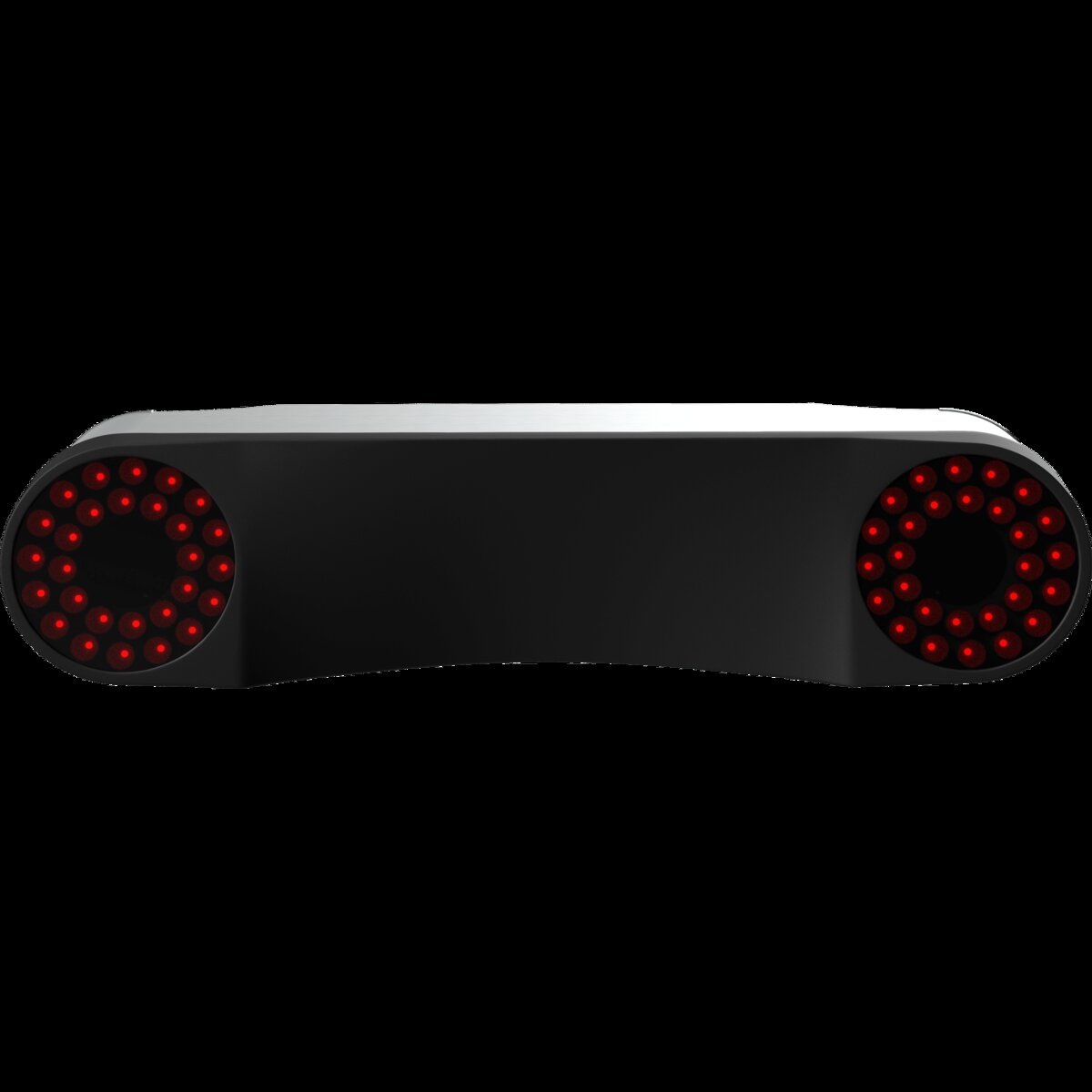
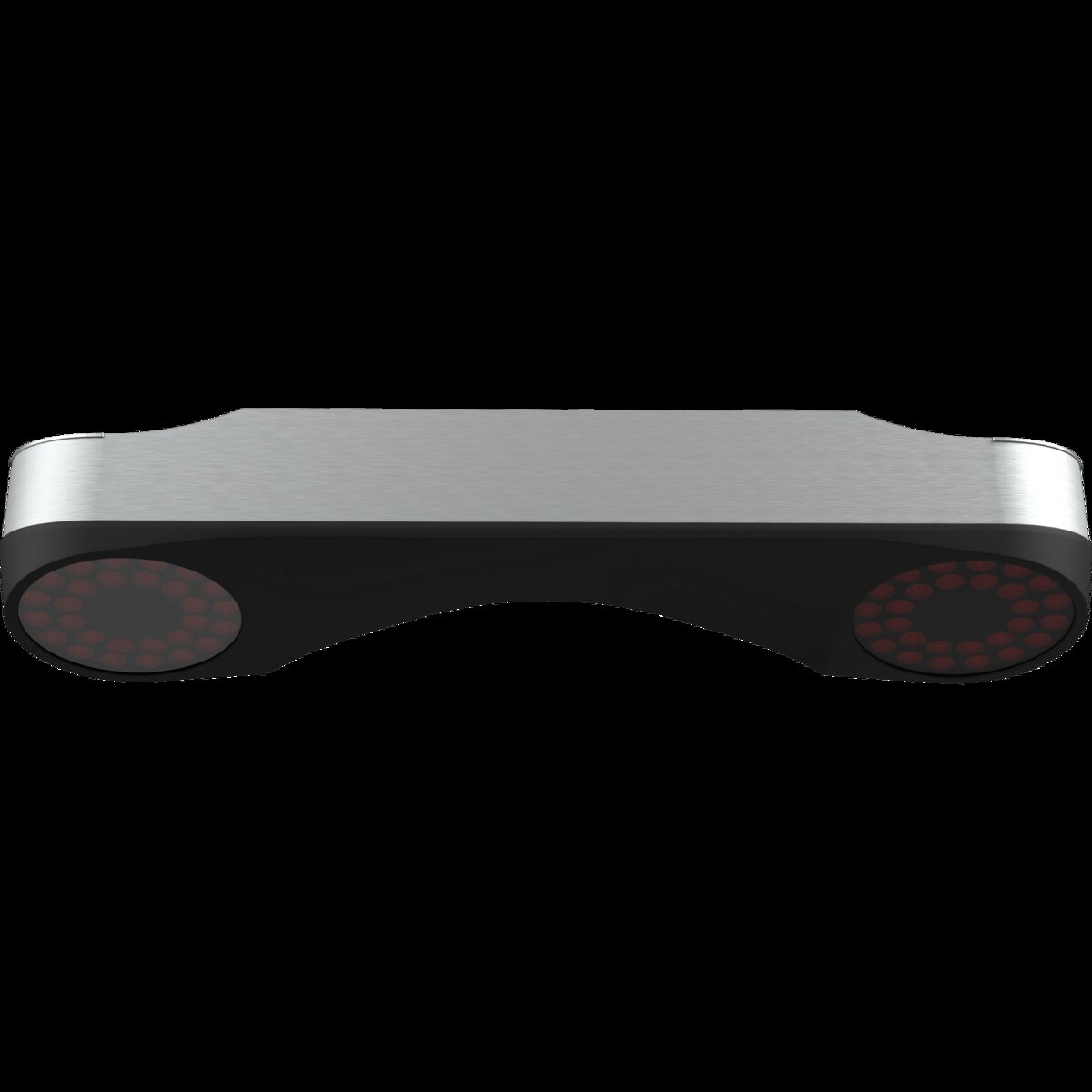
The ProTee VX is an overhead unit that mounts to your ceiling about 40 inches in front of the hitting area. It’s 33 inches long, 18 pounds, looks like a sleek white bar that glows blue when it’s tracking your swing.
In the box:
- ProTee VX launch monitor unit
- Two ProTee Swing Cameras ($600 value)
- Stainless steel mounting plate and hardware
- Camera calibration plate
- 10-meter Cat6 Ethernet cable
- USB to Ethernet adapter
- Power cord
- Perpetual ProTee Labs software license
That last one is worth repeating. Perpetual license. Not a one-year trial. Not a “basic tier with premium features locked.” Everything ProTee Labs offers — ball data, club data, bag mapping, wedge matrix, dispersion circles, shot recording, swing video — it’s all unlocked the day you plug it in. Forever.
Compare that to Uneekor’s EYE XO at $9,000 where you pay $199/year for the Pro subscription to access GSPro. Or the GC3 at $7,500 where Foresight’s FSX Play is included but their subscription model is creeping in. Or TrackMan iO at $14,000 where you’re in the TrackMan ecosystem whether you like it or not.
The VX says “here’s everything, go play.”
How the Tech Works
Two high-speed stereoscopic cameras mounted in the ceiling bar. They capture the ball at impact — reading dimple patterns for spin (no marked balls, no stickers ever) — and track the club through the hitting zone using AI.
The result is 24 data points measured directly:
Ball data (7): Ball speed, launch angle, launch direction, back spin, side spin, total spin, spin axis
Club data (8): Club speed, swing path, face angle, face to path, attack angle, dynamic loft, lie angle, impact point (vertical + horizontal)
Flight data (9): Flight path, apex height, apex time, carry, total distance, offline, air time, run, descent angle
The key here is everything is measured. Nothing is estimated. Those 8 club data points come from the AI tracking your club through the hitting zone — not from calculated guesses based on ball flight. The impact location data (telling you exactly where on the clubface you struck the ball) is particularly useful and something most sub-$10K systems either skip or do poorly.
Response time is under 0.3 seconds from strike to data display. You hit the ball, you see the numbers. No 5-second SkyTrak delay. No wondering if it caught the shot.
The Hitting Zone: Why Overhead Matters
The hitting zone is 25 inches by 21 inches. That’s generous for an overhead system — significantly bigger than Uneekor’s QED (13.7“ x 11.8“) and competitive with the EYE XO2.
What this means in practice: you don’t need to place the ball in a specific square. Drop it anywhere in that area, swing, and the VX catches it. For a home simulator where you’re not always perfectly aligned to the same spot, this is a real quality-of-life improvement.
And because it’s ceiling-mounted, switching between right-handed and left-handed golfers takes zero effort. No recalibration, no moving the unit, no re-configuration. You just… switch sides. If you host sim nights with buddies who swing opposite-handed, this alone is worth considering.
Two Swing Cameras Included
Uneekor charges $1,000+ for their Swing Optix add-on camera. ProTee includes two swing cameras in the $6,500 price. Two. One for face-on view, one for down-the-line.
These aren’t cheap webcams — they’re high-speed cameras that sync with the VX’s timing. After every shot, you get a slow-motion replay showing club path, face angle, and the exact moment of impact. ProTee Labs even has a Ball Spin Validator that shows your ball spinning with tracking dots following the logo — so you can literally see the spin you just hit.
For anyone who cares about swing mechanics, this is the kind of tool that turns a launch monitor from a number machine into a coaching system.
Software: ProTee Labs, GSPro, and the Ecosystem
ProTee Labs is the native software. Think of it as a feature-rich practice range with serious analytics tools:
- Bag mapping — hit 10 shots with each club, see your distance gaps laid out
- Wedge matrix — dial in your wedges at different swing lengths
- Clubface heatmaps — see where you’re striking the ball on the face
- Dispersion circles — instant shot grouping visualization
- Shot recording with video sync — every shot tied to your swing video
- Dual-screen support — data on one screen, video on another
- Statistics tracking — trends over time, not just single sessions
- User profiles — unlimited profiles for different golfers
ProTee has been updating Labs aggressively. In the past few months they added 3D skeleton tracking (AI that maps your body angles through the swing) and the Ball Spin Validator. These are free updates. No paywall.
For full course play, you want GSPro or TGC 2019. The VX connects to both officially — no connector fees for GSPro, no extra hoops. E6 Connect and Creative Golf 3D work too, but you’ll need ProTee’s third-party software connector (~$300).
There’s also GolfCore — ProTee’s own simulation software that entered beta in March 2026. It’s their attempt to build a full-course simulator platform from scratch. Early reports look promising, but it’s early.
The one catch: everything is Windows only. The VX doesn’t work with Mac, iPad, Android, or Linux. If you’re in the Apple ecosystem, this is a hard stop. You need a Windows gaming PC.
The PC You’ll Need
The VX itself handles all the heavy lifting for data processing, but you still need a PC to run the software.
Minimum specs: Windows 10 64-bit, Intel i7-8xxx, 8 GB RAM, RTX 3060, 5 GB storage
Recommended for GSPro at 4K: Windows 10/11 64-bit, Intel i9 or AMD Ryzen 9, 16-32 GB RAM, RTX 3080 or better, 30 GB storage
This is consistent with what you’d need for any overhead system running GSPro. The RTX 3080 recommendation at 4K is real — GSPro at high resolution is demanding. But at 1080p, a 3060 does fine.
Installation: The Real Barrier
The VX’s biggest weakness isn’t price or accuracy. It’s installation.
You need 9 feet minimum ceiling height (10 feet optimal). That eliminates a lot of basements and standard 8-foot garage ceilings. Measure your space before you fall in love with this thing. If you’ve got 8-foot ceilings, the VX is not your answer.
Mounting requires attaching the bracket to ceiling joists — drywall anchors won’t hold an 18-pound unit. You’ll need to locate joists, drill pilot holes, mount the plate, attach the VX, run the Cat6 cable, and calibrate the cameras.
First-time installation: 2-4 hours. If you’re not comfortable with a stud finder and a drill, budget $200-$400 for a pro installer.
Once it’s mounted and calibrated, it stays calibrated. Owners report recalibrating only once in six months, and that was after physically bumping the mount during a ceiling light change.
Accuracy: How Does It Compare?
Six-month owner reports are consistent: ball data matches Uneekor’s overhead units within margins that don’t matter for anyone who isn’t a tour pro.
- Ball speed: within 0.5-1 mph of reference
- Spin rates: within 100-200 RPM of reference
- Club data: face angle and club path are reliable and consistent
The AI club tracking was rough in early firmware but has improved significantly through updates. ProTee’s update frequency is genuinely good — they’ve been shipping feature updates every 4-6 weeks based on user feedback.
The spin reading is a standout. Because the cameras read dimple patterns directly (no stickers, no marked balls), spin is measured, not estimated. This matters most for wedge shots and partial swings where radar systems tend to guess wrong. In the VX, a 60-yard lob shot with 8,000 RPM spin reads like it should.
The Competition
| System | Price | Type | Subscription | Swing Cams | Hit Zone |
|---|---|---|---|---|---|
| ProTee VX | $6,500 | Overhead | $0 | 2 included | |
| Uneekor EYE XO | $9,000 | Overhead | $199/yr | ~$1,000 extra | |
| VTrack | $5,000 | Overhead | $0 | None | |
| Uneekor EYE XO2 | ~$10K | Overhead | Varies | Extra | |
| Foresight GCQuad | $11K+ | Ground | FSX Play | Extra | |
| TrackMan iO | $14K | Overhead | Varies | Extra |
And then there’s the VTrack at $5,000 — a newer entrant from South Korea that undercuts even the VX while offering the largest hitting zone in the entire overhead class (31“ x 24“). It doesn’t include swing cameras like the VX does, but at $1,500 less with a bigger tracking area, it’s the new value benchmark in overhead simulation. Full comparison: VTrack vs ProTee VX →
The VX’s value proposition is right there in black and white. You save $2,500+ on the unit relative to Uneekor, save $200/year in subscriptions, save $600+ on swing cameras, and get a larger hitting zone than most competitors. See our ProTee VX vs Uneekor EYE XO breakdown →
The trade-off is ecosystem size. Uneekor has a bigger community, more accessories, more troubleshooting threads, and broader software support. ProTee is a smaller ecosystem. But ProTee United created TGC 2019 — they’re not newcomers to golf simulation. They’ve been in this since 2001.
Use marked balls for best results. See our best golf balls for simulator guide →
Who Should Buy the ProTee VX
Buy it if:
- You have 9+ foot ceilings and want a clean, permanent overhead installation
- You hate subscriptions with the heat of a thousand suns
- You want club data and swing video without paying extra for cameras
- You host sim nights with lefty/righty friends
- You care about swing mechanics and want slow-motion impact video
- You’re building a dedicated simulator room and want the best value in overhead
Don’t buy it if:
- You have 8-foot ceilings (go ground-based — EYE MINI, GC3, SkyTrak+)
- You’re a Mac household (Windows only, no exceptions)
- You want portability (this is a permanent install)
- You need E6 Connect or Awesome Golf without a connector fee
- You’re on a sub-$3K budget (the Garmin R50 or Square Omni makes more sense)
The Final Verdict
The ProTee VX is the smartest overhead launch monitor purchase you can make in 2026.
$6,500 for dual-camera overhead tracking, 24 data points, two swing cameras, no subscription, and a hitting zone that accommodates every golfer in your house. The Uneekor EYE XO2 does similar things for $10K+ and still wants subscription money. The GC3 costs more and lives on the ground.
The VX isn’t perfect. The ceiling height requirement kills it for a lot of garages. The Windows-only reality is a real barrier. The smaller ecosystem means fewer troubleshooting threads when something goes wrong.
But for the guy with a 10-foot ceiling, a Windows PC, and a desire to build the cleanest overhead simulator without paying the $10K tax? This is the one.
ProTee United knows golf simulation. They built TGC 2019, the software that runs on more home simulators than anything else. Now they built the hardware to match.
||The overhead category is getting competitive: Check our Best Overhead Launch Monitors (2026) roundup for the full rankings and our 7-unit spec-by-spec comparison, plus the VTrack ($5,000, 31x24 hitting zone), Uneekor EYE XO ($5,999, 24 data points), and NVISAGE NEO-E ($5,500, triple-camera, no sub) reviews. See our Overhead vs Floor Launch Monitors guide for the full comparison. For the complete picture including ground-based units, check the Best Launch Monitors 2026 or Best camera launch monitors 2026 roundups — overhead vs floor, camera vs radar, every price bracket.
Buy the ProTee VX at Top Shelf Golf — $6,500, includes everything, ships from the Netherlands in 2-3 days. Or check Golf Simulators Direct and PlayBetter for pricing and availability.
Make sure your ceiling is 9 feet minimum and you’ve got a Windows PC. Then buy it. You won’t find a better value in overhead simulation.
Need the right balls for the ProTee VX? → Check our Best Golf Balls for Simulator guide (your camera unit works with any premium ball)
Head-to-Head Comparisons
Want to see how the ProTee VX stacks up against the competition?